The vidIQ pricing for 2026 has been revealed and outlines how much vidIQ will cost. With a permanent $0 Free plan available, vidIQ pricing is suited to all channel sizes, however the best plan for you will depend on how often you use vidIQ’s research, optimization and AI tools.
- Introduction to vidIQ in 2026
- Overview of vidIQ Pricing Tiers
- vidIQ Pricing: Exploring the Free Plan
- vidIQ pricing: Free vs Paid Comparison
- vidIQ Pricing: A Closer Look at the Boost Plan
- Boost Plan Details and Cost Analysis
- Monthly Versus Annual Billing Insights
- vidIQ Pricing: Understanding the Max Plan
- vidIQ Pricing: Coaching and Enterprise Plans
- Demystifying AI Credits and Monthly Limits
- vidIQ Pricing Comparison: Plans and Key Figures
- vidIQ Pricing Pros and Cons
- Value for Money and Cost-Effectiveness
- Potential Pitfalls with Billing Options
- vidIQ Pricing: What Buyers Should Know
- vidIQ Pricing: Which Plan Fits Your Channel?
- vidIQ Pricing: Billing Terms and Potential Extra Costs
- Understanding Annual Versus Monthly Commitments
- Strategies to Avoid Overpaying for Credits
- Conclusion
- FAQ
- What is the free plan and what features does it include?
- How does the Boost plan differ from the free plan?
- Are there any hidden costs associated with the subscription?
- What is the difference between monthly and annual billing?
- How can I determine which plan is best for my channel?
- Can I upgrade or downgrade my plan at any time?
- What kind of support is available for subscribers?
- How do AI credits work in the different plans?
- Is there a trial period for the paid plans?
- What insights can I gain from the analytics tools?
For occasional uploads or basic channel research, the Free plan gives creators a simple way to explore vidIQ without paying for a subscription. Regular publishers may find Boost more useful because it expands access to research and optimization tools. Creators who consistently reach Boost limits can consider Max for additional capacity. Coaching + Boost adds personalized guidance, while Enterprise focuses on brands and agencies that manage multiple channels.
The vidIQ pricing guide explains the different plans and features that are available, as well as the different payment options, the free plan vs paid plan, and the overall value of each plan. This guide also outlines some of the key limitations of each plan, such as the AI credit allowance, as well as the price differences between the plans. Please note that the price for each plan will be confirmed on the final checkout page.
Introduction to vidIQ in 2026
vidIQ is a YouTube research and optimization product that helps creators evaluate topics, titles, thumbnails, and other publishing decisions before a video goes live. It can support planning, but its recommendations are not guarantees of views, subscribers, growth, or revenue.
Unlike YouTube Studio, which focuses mainly on post-publish analytics, vidIQ provides pre-publish insights. When deciding whether vidIQ is worth the price, consider whether a feature changes a real channel decision, saves time, or improves your workflow enough to justify the plan’s cost.
Overview of vidIQ Pricing Tiers
In 2026, vidIQ offers five main plans: Free, Boost, Max, Coaching + Boost, and Enterprise. Each plan combines different pricing, AI credit limits, research tools, and support options for different types of YouTube channels.
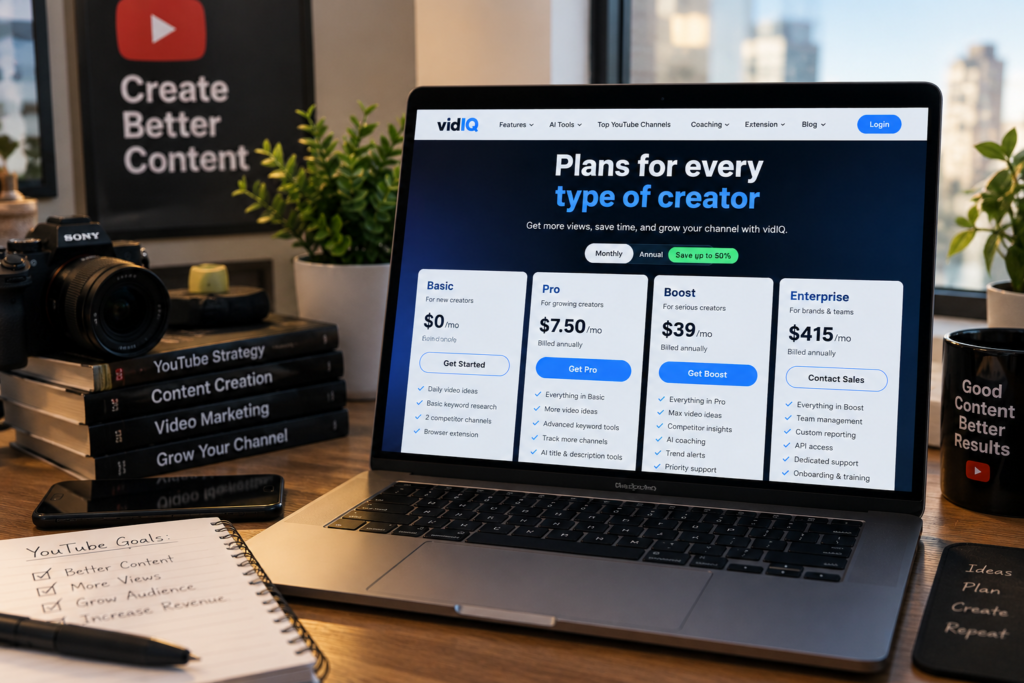
The Free plan costs $0 and includes 150 AI credits per month, making it a practical starting point for beginners. Boost costs $199 annually or $39 monthly and adds broader keyword research and optimization features. Creators who need more capacity can consider Max, which costs approximately $468 annually and includes 6,000 AI credits per month. Coaching + Boost costs about $99 monthly when billed annually and focuses on personalized support. For brands and agencies managing multiple channels, Enterprise uses custom pricing and includes advanced features, multi-channel access, and priority support.
Because pricing and plan features can change, review the official pricing page and final checkout details before paying. Your best plan depends on your publishing frequency, research needs, budget, and whether you need individual tools or team-level access.
Want to build a more efficient YouTube automation workflow? Download our free YouTube Automation Guide to learn how to research content ideas, create scripts, produce videos, optimize your workflow, and build a scalable faceless YouTube channel step by step.
vidIQ Pricing: Exploring the Free Plan
The Free plan is the simplest way to try vidIQ before committing to a paid plan. It provides enough access for beginners and occasional creators to explore basic research, channel analytics, and optimization tools.
This plan includes:
- 150 AI credits per month for light experimentation.
- Access to the Chrome extension, which provides views per hour, tags, and engagement data.
- Basic channel analytics, limited Daily Ideas, and personalized growth tips.
However, the Free plan has important limitations:
- The keyword tool returns only a handful of results per search, which limits deeper research and comparison.
- Historical data and competitor tools are locked behind the Boost plan.
- Creators may reach the upgrade boundary when they need broader comparisons or more frequent access to vidIQ features.
Beginners and creators who upload occasionally can stay with the Free plan if these limits do not interrupt their workflow. Consider upgrading only when the restricted research, data, or tools make it harder to plan and publish videos consistently.
vidIQ pricing: Free vs Paid Comparison
Comparing the cost and features of each plan makes it easier to decide whether a paid vidIQ subscription fits your workflow. In 2026, the Free plan is a permanent evaluation option, and there is no standard standalone paid free trial listed for the service.
The Boost plan provides 2,000 AI credits per month, compared with 150 credits on the Free plan. It also adds broader research and optimization tools, including thumbnail and title capabilities. These features can be useful for creators who need more than basic channel statistics and limited Daily Ideas.
Publishing frequency should guide your decision. A channel that publishes weekly may benefit from unlimited keyword and trend research, while an occasional creator may find the Free plan sufficient. Before subscribing, consider whether Boost will change your content decisions, save planning time, or make your pre-publish workflow more efficient.
vidIQ can be worth the price when you use its research and optimization features regularly. It is less compelling if you rarely publish, already have comparable tools in your stack, or do not reach the Free plan’s limits.
vidIQ Pricing: A Closer Look at the Boost Plan
Boost gives consistent creators broader access to vidIQ’s research and optimization tools. Its value comes from combining a larger credit allowance with features that support topic selection, packaging, and content planning.
If you’re still deciding whether vidIQ is the right fit for your workflow, see our TubeMagic vs vidIQ comparison for a closer look at how the two platforms differ for faceless YouTube creators.
Boost Plan Details and Cost Analysis
At $199 per year, the Boost plan offers 2,000 AI credits per month and allows creators to conduct unlimited keyword and trend research. It also includes AI thumbnail generation, title and description tools, subscriber insights, the full AI Coach, and access to creator masterclasses. Check the current pricing page to confirm that these features and limits still apply before purchase.
Monthly Versus Annual Billing Insights
With annual billing, the $199 price works out to approximately $16.58 per month, although the full amount may be charged upfront. Choosing monthly billing costs $39 per month, or $468 over 12 months. That makes the monthly option $269 more expensive over a full year. However, it gives creators more flexibility if they want to test Boost before making a longer commitment. Annual billing may provide better value for creators who expect to use vidIQ throughout the year.
vidIQ Pricing: Understanding the Max Plan
Creators who regularly reach Boost limits may need the Max plan. Max provides a larger monthly credit allowance and gives heavy users more room for research, AI tools, and content planning.
Max includes 6,000 AI credits per month, three times the 2,000 credits included with Boost. That additional capacity may help creators conduct more extensive research and use AI features without reaching the monthly limit as quickly.
Max also includes up to three times more AI Coach conversations. The product description presents Max Mode AI as five times more powerful than the standard experience, but this should be treated as a stated feature claim rather than a guarantee of better insights or channel results.
Track your credit and feature usage for at least two months before upgrading from Boost. If you repeatedly reach Boost’s limits, Max may fit your workflow. If you do not use the additional capacity, upgrading could mean paying approximately $269 more annually without receiving enough extra value to justify the cost.
vidIQ Pricing: Coaching and Enterprise Plans
The Coaching + Boost plan costs approximately $99 per month when billed annually, or about $1,188 per year. Unlike Max, its primary benefit is personalized support rather than a larger AI credit allowance.
Coaching includes:
- One-on-one sessions tailored to individual needs.
- A custom growth plan designed to support channel planning and performance goals.
This plan may suit creators who need accountability or structured guidance. Compare its cost with other consulting options before subscribing. For example, a freelancer charging $75 to $150 per hour could provide approximately 7 to 13 hours of consulting for the yearly Coaching premium over Boost.
Enterprise serves brands and agencies that manage multiple channels It provides:
- Multi-channel access with team roles and permissions.
- Cross-channel insights and detailed reporting.
- Priority support and on-boarding assistance.
Smaller creators should generally remain on the Free or Boost plans unless ongoing coaching, team-level access, or cross-channel reporting meets a clear business need.
Check the latest plans directly on vidIQ
Demystifying AI Credits and Monthly Limits
AI credits are a shared monthly allowance for several vidIQ tools, including AI Coach conversations, thumbnail generation, and title creation. The Free plan includes 150 credits, the Boost plan includes 2,000, and the Max plan includes 6,000 credits each month.
Unused credits reset at the end of each month and do not roll over. If you reach your plan’s limit, the affected AI tools pause until the next billing cycle. Heavy users should track which features consume credits; an MCP call, for example, uses approximately five credits and may add up quickly.
Monitor your usage for at least two billing cycles before upgrading to Max. This helps you determine whether the additional capacity solves a recurring workflow problem or whether the lower-cost plan provides enough value for your needs.
vidIQ Pricing Comparison: Plans and Key Figures
The table below summarizes the listed vidIQ pricing, credit allowances, and intended users. Use it as a starting comparison, not as a substitute for the official checkout page.
| PlanMonthly CostAnnual CostAI Credits/MonthIdeal For | ||||
| Free | $0 | $0 | 150 | Beginners |
| Boost | $39 | $199 | 2,000 | Active Creators |
| Max | ~$39 | $468 | 6,000 | Growing Channels |
| Coaching + Boost | ~$99 | ~$1,188 | Boost Credits | Creators Needing Guidance |
| Enterprise | Custom | Custom | Custom | Brands/Agencies |
Keep these points in mind when reviewing the table:
- Distinguish between an upfront annual charge and a monthly-equivalent price.
- The listed Boost and Max figures should be verified because the reported monthly and annual prices may not align clearly.
- Always check the final checkout page for the current price, billing schedule, and included features.
- The lowest monthly headline price may not represent the lowest total commitment.
vidIQ Pricing Pros and Cons
vidIQ can provide useful research and planning tools, but its value depends on how often you use them and whether they replace or duplicate other products in your stack. Comparing the benefits, limits, and billing terms will help you make a more informed purchase decision.
Value for Money and Cost-Effectiveness
The clearest value case is the Boost plan at $199 annually. It is best suited to creators who regularly use keyword research, trend analysis, and optimization tools before publishing videos. If those features save planning time or improve your workflow, the subscription may justify its cost.
Potential Pitfalls with Billing Options
Boost costs $39 per month which translates into $468 for 12 months of service. Compared to the annual charge of $199 for the same period of time on the Max and Coaching plans, this represents a considerable saving, especially if you expect to use the plan for the entire 12 months.
The Free and Boost plans alert you when you are about to reach the limits of a feature or your remaining credits and we typically notify you of an upgrade to a paid plan at that time. Even though vidIQ saves you hours of time when planning content, used exhausted credits, redundant tools and infrequently used features all reduce value to you, just as they would with any other product.
vidIQ Pricing: What Buyers Should Know
The right vidIQ plan depends on your publishing schedule, research needs, budget, and preferred level of support. The following breakdown explains what each option provides for its listed price.
vidIQ Pricing: Which Plan Fits Your Channel?
Beginners should usually start with the Free plan because it provides basic tools without a subscription. Growing creators who publish frequently and need broader research will generally get more value from Boost.
Full-time users can consider Max after tracking recurring Boost limits. Coaching is better suited to creators who need accountability or one-on-one guidance, while Enterprise fits agencies and organizations managing multiple channels.
vidIQ Pricing: Billing Terms and Potential Extra Costs
When reviewing vidIQ’s billing information, it’s good to know how to avoid paying for too much access or time. Main concerns include the discrepancy between the flexibility offered by a monthly membership and the lower price for a year of membership, when the membership will renew, credit limits, and what terms and conditions you agree to when you click “buy now” at checkout.
Understanding Annual Versus Monthly Commitments
Boost offers both monthly and annual billing. The monthly option provides more flexibility, while the annual option can reduce the total cost for creators who plan to use vidIQ long term. Before subscribing, check the current checkout page for the latest price, billing schedule, cancellation terms, and renewal conditions.
Strategies to Avoid Overpaying for Credits
To maximize value, creators should:
- Use the permanent Free plan as an evaluation period because no standard standalone paid free trial is available in 2026.
- Set a short testing deadline for monthly Boost so the subscription does not continue longer than intended.
- Confirm cancellation, renewal, refund, and plan-change terms before paying for an annual subscription.
- Estimate monthly credit consumption because unused credits reset and do not roll over.
- Check the official pricing page and final checkout screen for current prices, billing frequency, promotions, and conflicting plan information.
Conclusion
We recommend starting with the Free plan for creators who occasionally upload new videos. For those who need to regularly complete keyword research and video optimization, the Boost subscription for $199/year will provide greater value than the Free plan’s basic analytics, browser overlay and 150 monthly free credits.
However, if you continuously run into the 2,000-credits limit of Boost on a regular basis, then the cost of Max (Coaching + Boost) may be worth paying for the additional support. As a reminder, the Enterprise plan is targeted towards larger brands and agencies and their various channels.
vidIQ could be worth the cost of your time and money if its research features save you time or change how you create content. Before you subscribe, review the limits of the plans and the terms of the billing to make sure it will meet your needs. Check the current prices on the vidIQ pricing page. Use YouTube Studio to get a post-publish video report and don’t rely on vidIQ’s recommendations as a way to grow your channel.
FAQ
What is the free plan and what features does it include?
The Free plan is vidIQ’s no-cost evaluation option. It includes 150 AI credits per month, basic channel analytics, limited keyword research, Daily Ideas, and access to the Chrome extension.
How does the Boost plan differ from the free plan?
Boost provides 2,000 monthly AI credits, broader keyword and trend research, optimization features, and additional tools such as thumbnail and title capabilities. Creators who publish regularly may get more value from Boost
Are there any hidden costs associated with the subscription?
Review the checkout page for the total price, billing schedule, renewal terms, and any available credit options. Unused AI credits do not roll over, so reaching a monthly limit may restrict access to affected tools until the next cycle.
What is the difference between monthly and annual billing?
Monthly billing offers more flexibility but can cost more over a full year. Boost is listed at $39 monthly, or $468 over 12 months, compared with $199 for annual billing.
How can I determine which plan is best for my channel?
Choose vidIQ Free for occasional research, Boost for regular publishing, Max for recurring capacity limits, Coaching for personalized guidance, and Enterprise for team access across multiple channels.
Can I upgrade or downgrade my plan at any time?
Check the current account and billing terms before changing plans. The timing of an upgrade, downgrade, renewal, or refund may depend on the subscription and billing cycle.
What kind of support is available for subscribers?
Support depends on the plan. Coaching + Boost includes one-on-one guidance, while Enterprise includes priority support and on-boarding assistance. Other subscribers may have access to customer resources and tutorials.
How do AI credits work in the different plans?
AI credits support features such as AI Coach conversations, thumbnail generation, title creation, and other advanced tools. Free includes 150 credits monthly, Boost includes 2,000, and Max includes 6,000.
Is there a trial period for the paid plans?
There is no standard standalone paid free trial listed for 2026. The permanent Free plan is the available way to evaluate vidIQ before starting a paid subscription.
What insights can I gain from the analytics tools?
Analytics tools can provide data about video performance, audience engagement, and keyword effectiveness. Use these insights with YouTube Studio to make informed decisions about future content.